

Building a PC can be an exciting but also challenging task. Whether you are an experienced gamer or just starting out, the right configuration is crucial for your gaming experience. In this article, we will provide you with useful tips on how to assemble your perfect gaming PC to achieve the best results and get the best value for your money.
Key Insights
- Set a realistic budget to avoid financial surprises.
- Determine the main purpose of your PC to select suitable components.
- Use a PC configurator for customizing your hardware.
- Ensure that all components are compatible to avoid issues.
- Plan regular maintenance and upgrades to secure your PC’s performance in the long run.
Important Factors When Building a PC
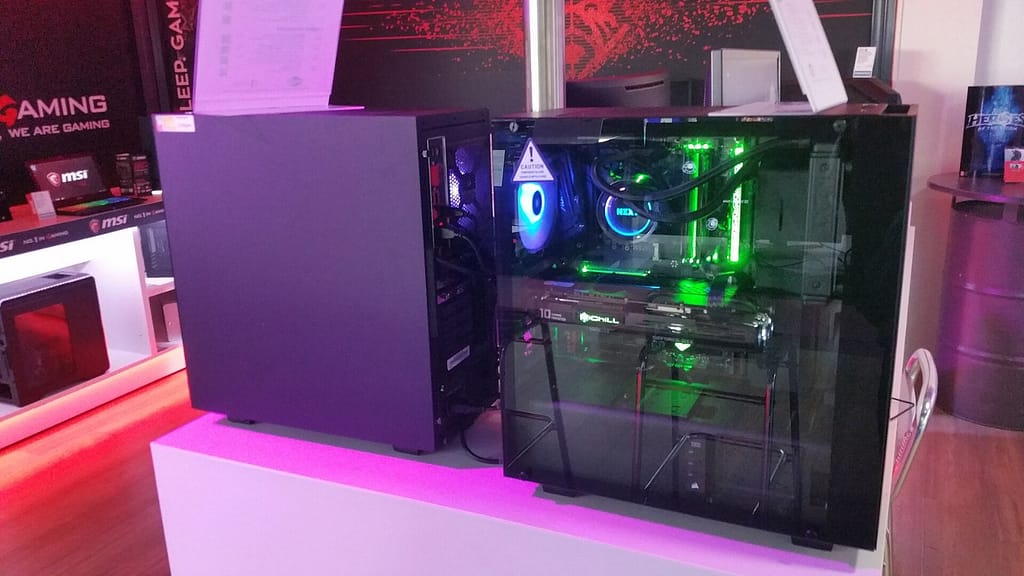
Okay, let’s talk about the important things before you even start picking parts for your new PC. There are a few things you really need to consider so that you don’t end up frustrated or spending unnecessary money.
Setting a Budget
The budget is super important. First, determine how much you want to spend. This way, you avoid falling in love with expensive components that you can’t actually afford. Think about what matters most to you: Do you want the absolute high-end gaming experience, or is a solid mid-range PC enough for you? Remember, you can always upgrade later if you need more performance.
Determining the Purpose
What do you actually want to do with the PC? Just browse the internet and check emails? Or do you want to game, edit videos, or do other demanding tasks? The purpose determines what hardware you need. A gaming PC, for example, needs a powerful graphics card, while an office PC can get by with an integrated graphics card. Here are a few examples:
- Gaming: High-end graphics card, fast processor, lots of RAM
- Video and photo editing: Powerful processor, lots of RAM, fast SSD
- Office: Solid processor, sufficient RAM, SSD for fast booting
It’s really important to think carefully about what you want to do with the PC beforehand. Otherwise, you might end up buying the wrong parts and being dissatisfied.
Selecting Hardware Components
Now it’s time for the nitty-gritty: selecting the hardware. Here you need to do a bit of research on what components are available and what they can do. Don’t worry, it’s not rocket science! There are many websites and videos that can help you with this. Make sure that all components fit together and are compatible. For example, the motherboard must match the processor, and the power supply must provide enough power for all components. Also, think about effective cooling!
The Benefits of a PC Configurator
Hey, let’s talk about PC configurators! If you want to build your own gaming PC, they are truly invaluable. Instead of just buying any pre-built computer, you can customize everything exactly how you need it with a configurator. It’s like having a tailored shirt made – but for your PC.
Customization Options
The best part about a PC configurator is that you can determine everything yourself. You choose each individual component, from the graphics card to the RAM. This way, you can ensure that your PC is perfectly tailored to your needs. Need a powerful graphics card for the latest games? No problem! Prefer more RAM for smooth multitasking? Also not an issue! With a configurator, you have full control. Imagine you are the conductor of your own PC orchestra – you decide who plays when. This way, you can customize your gaming PC.
Selecting Current Hardware
PC configurators always offer you the latest hardware options. So you don’t have to worry about buying outdated components. The configurators are constantly updated so that you always have the best and most current technology available. This is especially important if you want to build a gaming PC that will still be top-notch in the future. This way, you stay up to date and can enjoy the latest games in all their glory. Plus, you can be sure that all components are compatible with each other, which saves you a lot of hassle.
Maximizing Price-Performance Ratio
With a PC configurator, you can achieve the best price-performance ratio. You only pay for what you really need. Instead of buying an expensive complete system where you might pay for features you don’t even use, you can select exactly the components that meet your requirements and fit your budget with a configurator. It’s like going to the supermarket and only buying the ingredients for your favorite dish – no unnecessary extras. This way, you save money and still get a top gaming PC. Plus, you keep track of the costs and can make adjustments at any time to stay within your budget.
A PC configurator is like a building block set for adults. You have all the parts you need to build your dream PC, and you can design it exactly how you want. It’s not only practical but also a lot of fun!
Tips for Selecting Components
Okay, now it gets exciting! Choosing the right parts for your PC is like assembling the perfect team. Here are a few tips to ensure you don’t go wrong.
Processor and Graphics Card
The processor and graphics card are the stars of your PC. The processor, also known as the CPU, is the brain. It handles all calculations. The graphics card (GPU) is responsible for everything you see on the screen, especially important for gaming or graphic design.
- For gaming: Look for a strong GPU. Models from NVIDIA GeForce or AMD Radeon are popular. The graphics card for gaming is crucial for smooth visuals.
- For office work: Often, an integrated graphics unit in the processor is sufficient. This saves money.
- For video editing: Both the CPU and GPU should have plenty of power. Many cores and high clock speeds are good.
Remember: The CPU and GPU should match. An extremely expensive graphics card is useless if the processor is too weak.
Memory and Storage
RAM (Random Access Memory) is like your PC’s desk. The bigger the desk, the more you can work on at the same time. You need storage for your programs, games, and files.
- RAM: 8 GB is the minimum, 16 GB is better, and for demanding tasks like video editing or the latest games, 32 GB or more is ideal.
- SSD (Solid State Drive): Absolutely! An SSD makes your PC much faster than a traditional hard drive (HDD). Install your operating system and important programs here.
- HDD: For large amounts of data (movies, music), an HDD is still a cost-effective option.
Power Supply and Case
The power supply provides power to all components. The case holds everything together and ensures cooling.
- Power Supply: It’s better to plan for a bit more power than too little. Look for good efficiency (80+ certification). Calculate the power requirements of all components and add some reserve.
- Case: Should provide enough space for all components and allow for good ventilation. Look for dust filters, which save you work. They come in all shapes and sizes, with or without RGB lighting – choose one that you like!
How to Assemble Your PC
Okay, now it gets exciting! You have all the parts, now it’s time for the real deal: the assembly. Don’t panic, it’s easier than it looks. Remember to be careful and double-check before you screw anything in.
Step-by-Step Guide
- Preparation is everything: Get everything ready. The case should be open in front of you, and all components within reach. It’s best to have a bright lamp so you can see everything well.
- Insert the CPU: This requires a delicate touch. Pay attention to the markings on the CPU and the motherboard. The CPU should slide in without pressure. Then close the lever.
- Mount the cooler: Depending on the cooler, you may need thermal paste now. Either it’s already applied, or you have to apply it yourself. Then screw the cooler in place. Not too tight, but also not too loose.
- Insert RAM: The RAM sticks go into the designated slots. Pay attention to the notches and press them in gently until they click into place.
- Install the motherboard in the case: Now it gets a bit tricky. The motherboard goes into the case. Make sure all standoffs are in the right place and then screw the board in.
- Insert the graphics card: The graphics card goes into the top PCIe slot. Again, carefully insert it and let it click into place.
- Install hard drives/SSDs: The hard drives and SSDs go into their slots. Then connect them to the motherboard and the power supply.
- Install the power supply: The power supply usually goes in the bottom of the case. Screw it in and provide power to all components.
- Cable management: Now comes the fun part: hiding the cables! Try to route the cables so they are out of the way and do not obstruct airflow.
- Test run: Before you close everything up, do a test run. Turn on the PC and see if everything works. If not, don’t panic, just check everything step by step.
Important Tools
- Screwdriver (Phillips, various sizes)
- Cable ties (for cable management)
- Anti-static wrist strap (important to protect your components)
- Flashlight (to see in dark corners)
- Tweezers (to pick up small screws)
Avoiding Mistakes
- Static charge: This is the enemy of every PC builder. Always wear an anti-static wrist strap!
- Wrong cables: Make sure you use the right cables. Not every cable fits everywhere.
- Too much pressure: Be careful when inserting components. Don’t force anything!
- Forgotten cables: Check if you have connected all cables before turning on the PC.
- Choose a power supply with sufficient power to supply all components.
Remember: Practice makes perfect. If you’re building a PC for the first time, it may take a while. But with patience and care, you can do it! And if nothing works, ask a friend or watch a few tutorials on YouTube.
Optimizing and Maintaining Your PC
Okay, your PC is up and running, and you’re gaming like a champion. But now the real work begins! To ensure your gaming PC continues to perform well in the future, you need to optimize and maintain it regularly. Don’t worry, it’s easier than you think!
Perform Regular Updates
Updates are super important! Keep your operating system, drivers, and all programs up to date. Manufacturers constantly release new versions that fix bugs, improve performance, and close security gaps. It’s like with a car: Regular inspections ensure everything runs smoothly. So, it’s best to activate automatic updates, so you don’t even have to worry about it. Remember, an updated system is a secure system. And who wants viruses on their gaming PC?
Install Antivirus Software
An antivirus is a must! There are dangers lurking all over the internet, and before you know it, you’ve caught a virus. This can not only jeopardize your data but also affect your PC’s performance. There are many good antivirus programs, both free and paid. The important thing is to install one and scan regularly. Remember, better safe than sorry. Especially if you download a lot of mods and patches, you should play it safe and use reliable antivirus software.
Plan Hardware Upgrades
Your PC is great now, but technology is developing rapidly. What is high-end today can be outdated tomorrow. Therefore, you should plan hardware upgrades in the long term. Keep an eye on the development of new graphics cards, processors, and SSDs. If you notice that your PC is struggling with new games, it’s time for an upgrade. But don’t panic, you don’t have to buy everything new right away. Often, just replacing individual components is enough to significantly improve performance. Maybe a new Intel PC upgrade kit?
Remember, regular maintenance and optimization are key to a long-lasting and high-performing gaming PC. Take the time to care for your PC, and you’ll have a lot of fun with it in the future!
The Future of PC Building
Of course, technology never stands still, and this also applies to PC building. What is the latest trend today can be old news tomorrow. But don’t worry, we’ll keep an eye on it for you!
New Technologies
It’s really crazy how fast everything is developing. Artificial intelligence is making its way into more and more areas, and it will also play a bigger role in PC building. Imagine your PC optimizing itself for every game or application! Additionally, new materials and cooling techniques are being developed that can squeeze even more performance out of the components. And don’t forget the advances in data management and infrastructure – these will also influence our gaming PCs.
Future-Proof Components
Don’t just buy anything, think about the future! When assembling your PC, make sure that the components can still keep up in a few years. This means: it’s better to invest a bit more and focus on future-proof standards. PCIe 5.0, DDR5 RAM, and fast NVMe SSDs are a good start. And a modular power supply is worth its weight in gold if you want to upgrade later.
Trends in Gaming
Gaming is becoming increasingly immersive. Virtual reality and augmented reality are on the rise, and cloud gaming is becoming more popular. This means that your PC will need to be not only powerful but also versatile in the future. It should be VR-capable, handle streaming effortlessly, and maybe even serve as a cloud gaming client. And of course, aesthetics shouldn’t be neglected: RGB lighting and stylish cases are still very much in trend.
Remember: The perfect gaming PC is always a compromise between performance, budget, and personal preferences. But with a little planning and the right tips, you can assemble a computer that will make you happy for many years to come.
Common Mistakes When Building a PC
Of course, things can go wrong when building a PC, but don’t panic! Here are a few typical pitfalls that you can easily avoid.
Choosing the Wrong Components
Oh dear, this is a classic! You buy the latest motherboard, but your processor doesn’t fit? Or the RAM is incompatible? Super frustrating. Always check if everything fits together! It’s best to use a PC configurator that tells you what works well together. And don’t forget to check the power supply to ensure it has enough power for all your parts.
Exceeding the Budget
Do you know that feeling? You just want to upgrade a bit, and suddenly your account is empty. It’s super important to set a limit beforehand and stick to it. Think carefully about what you really need and where you might save. Do you really need the most expensive graphics card, or would a slightly cheaper one suffice? Sometimes less is more!
Lack of Planning
Just building without a plan? Not a good idea. Before you even start, you should make a plan. How will you route the cables? Where will the fans go? Do you have enough space in the case? If you clarify this beforehand, you’ll save yourself a lot of frustration later. And remember: Good preparation is half the battle!
It’s really important to take your time and inform yourself before you start. Read reviews, watch videos, and ask if you’re in doubt. This way, you can avoid costly mistakes and end up with a PC that meets your expectations.
Conclusion
So, that’s it! Building your own gaming PC will be an exciting journey. Remember to choose the right parts and keep an eye on your budget. And hey, don’t forget to maintain your PC regularly so it lasts and runs well. With these tips, you’re on your way to assembling the perfect gaming PC. Have fun gaming!
Frequently Asked Questions
How much should I spend on a gaming PC?
It depends on your wishes. A good gaming PC costs between 800 and 2000 euros.
What operating system is best for gaming?
Windows is the best operating system for gaming because it supports many games.
How much storage do I need?
For most, 500 GB to 1 TB is sufficient. If you have many large files, take more.
How often should I clean my PC?
It’s good to clean your PC every few months to remove dust.
How long does it take to build a PC?
Typically, it takes 2 to 4 hours to build a PC.
Can I upgrade my PC later?
Yes, you can replace or improve parts of your PC later.
Cover image – Photo: Brian Wong, CC BY-SA 2.0, via Wikimedia Commons


