

If you want to build a gaming PC without breaking the bank, you’re in the right place. In this article, we’ll give you tips on how to assemble an affordable gaming PC that is still powerful enough to run current games smoothly. Whether you want to build it yourself or buy a pre-built PC, we’ll show you what to look for to get the most out of your money.
Key Insights
- Choose the right components to make the most of your budget.
- Pay attention to good cooling and ventilation for stable performance.
- Pre-built gaming PCs can be convenient but are often more expensive than building your own.
- Future-proof decisions are important to ensure your PC lasts long-term.
- Use online shops and the second-hand market to find affordable parts.
The Basics for an Affordable Gaming PC
Sure, putting together a gaming PC can seem daunting at first, but don’t panic! It’s easier than you think. We’ll show you what matters so you don’t spend more than necessary and can still game.
Important Components
Okay, let’s go through the essential parts your gaming PC needs. Remember, we want to stay affordable but still have something decent.
- CPU (Processor): The brain of the operation. AMD and Intel have good options for little money.
- GPU (Graphics Card): This is crucial because the graphics card renders the image. Look for a good price-performance ratio.
- RAM (Memory): 16 GB should be the minimum to ensure your games run smoothly.
- SSD (Storage): Forget the old HDD; an SSD makes your PC much faster.
- Motherboard: Connects everything together. Make sure it’s compatible with your other components.
- Power Supply: Powers everything. Don’t skimp on the power supply, or you might fry everything in the end.
- Case: Doesn’t have to be expensive, but should provide enough space and cooling.
Budget-Friendly Alternatives
Where can you save without feeling the pinch? Here are a few ideas:
- CPU: Look at older models. Often, they are barely slower but significantly cheaper.
- GPU: Used graphics cards can be a bargain, but be careful; check them thoroughly beforehand.
- RAM: 16 GB is enough for now; you can always upgrade later.
- Case: It doesn’t have to be the most expensive; as long as it serves its purpose.
Remember: It’s better to spend a little less now and upgrade later than to invest too much upfront and regret it.
Future-Proof Decisions
Invest in a motherboard that you can upgrade later. This is super important. Also, make sure your power supply has enough power in case you want to install a stronger graphics card later. And DDR5 RAM isn’t a bad idea, even if it’s a bit more expensive now. Here’s a small table:
| Component | Why Future-Proof? |
|---|---|
| Motherboard | Allows for future CPU upgrades |
| Power Supply | Provides enough power for stronger graphics cards |
| DDR5 RAM | Is the new standard and will be supported by more games and applications in the future |
The Best Tips for DIY Building
So, you want to build your own gaming PC? Great idea! It’s not as hard as you might think, and it’s really fun. Plus, you save money and learn a lot in the process. Here are a few tips to help you get started:
Selecting Components
The key is choosing the right components. Sure, you want the best for your money, but everything has to fit together. Check beforehand if your motherboard and CPU are compatible. And don’t forget about RAM – more is better than less. Here are a few points to consider:
- CPU: AMD Ryzen or Intel Core – both have their advantages. See what fits your budget and which games you want to play.
- Graphics Card: The graphics card is the heart of your gaming PC. You shouldn’t skimp here, but it doesn’t have to be the most expensive model either. A good mid-range card is often sufficient.
- RAM: At least 16 GB should be the goal, better yet 32 GB. Pay attention to the speed (MHz) and compatibility with your motherboard.
Cooling and Ventilation
Your PC shouldn’t overheat, so good cooling is important. A good CPU cooler and case fans are a must. Also, consider whether you want liquid cooling – it looks cool but isn’t strictly necessary. Here are a few tips:
- CPU Cooler: A good air cooler is often sufficient, but if you plan to overclock, liquid cooling is better.
- Case Fans: Ensure good airflow in the case. Air comes in from the front and goes out the back – it’s that simple.
- Cable Management: Organize your cables neatly so that air can circulate better.
Avoiding Bad Purchases
No one wants to spend money unnecessarily, so do your research before buying anything. Read reviews, watch videos, and ask in forums. And don’t just buy something because it’s cheap. Sometimes it’s better to spend a little more and get something decent. Here are a few common mistakes to avoid:
- Incompatible Components: Always check if everything fits together before ordering.
- Too Weak Power Supply: The power supply must have enough power for all components. It’s better to plan for a little extra reserve.
- Cheap No-Name Products: Stick to well-known brands, even if they are a bit more expensive. The quality is often better.
Remember: Building your own gaming PC is a learning process. It’s okay to make mistakes as long as you learn from them. And if you ever get stuck, just ask someone who knows about it. There are plenty of helpful people out there.
And hey, if you do everything right, you’ll end up with a gaming PC that’s tailored to your needs and will provide you with a lot of fun!
Pre-Built Gaming PCs: Is It Worth It?
Sure, building your own is cool, but sometimes you just want it easy. Pre-built gaming PCs are an option. But is it really worth it?
Pros and Cons
Pre-built gaming PCs are like surprise eggs: you know what’s inside, but not exactly.
Advantages:
- Ready to go: Unbox, plug in, and game. No stress with assembly. Complete sets for gaming PCs are great for people who don’t have the time or desire to screw things together.
- Warranty: If something breaks, they take care of it. That’s reassuring.
- Support: If you have questions or problems, there’s someone you can call.
Disadvantages:
- More expensive: You pay for the service and convenience.
- Sometimes manufacturers cut corners in the wrong places. Cheap power supply or cooler? Not great.
Pre-built PCs are often more expensive because you’re paying for assembly and service. Whether that’s worth it is up to you to decide.
Recommendations for Pre-Built PCs
Okay, if you want a pre-built PC, here are a few ideas:
- Dubaro Gamer PC Ryzen 5 5600 with RX 7600: Great for Full HD gaming, costs around 800 euros.
- Acer Predator Orion 3000 (PO3-655): With Intel i5-14400F and RTX 4060, around 1000 euros. Compact and powerful.
- MIFCOM Gaming PC with Ryzen 5 and RTX 4060: Costs about 900 euros and has a good cooling system.
Warranty and Support
Very important: Check the warranty conditions! Two years should be the minimum. And see if the support is easily reachable and responds quickly. Nothing is more frustrating than being left alone in case of a problem.
The Most Important Components in Detail
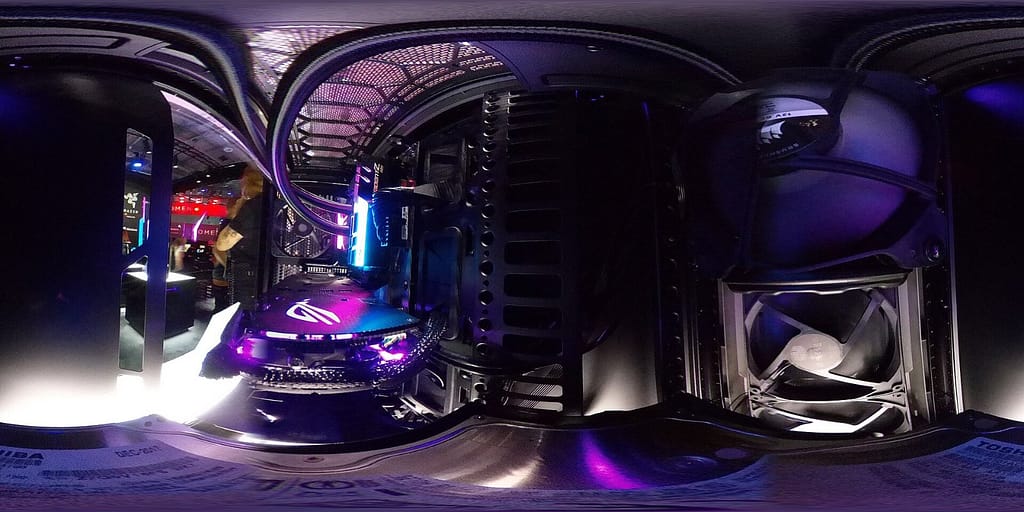
Sure, if you want to build a gaming PC, you need to know the essential parts. This is about the CPU, graphics card, RAM, and SSD – the hardware that makes your gaming experience. Without these, nothing works.
Processor: CPU Selection
The CPU is basically the brain of your PC. It processes all commands and ensures everything runs smoothly. For gaming, a fast CPU is important so your game doesn’t stutter. But don’t worry, you don’t have to buy the most expensive model. A good mid-range processor is often sufficient.
There are two major manufacturers: Intel and AMD. Both have their pros and cons. It’s best to research which processor fits your needs best. Also, pay attention to the socket type so that the processor fits your motherboard.
Graphics Card: Performance for Money
The graphics card is responsible for rendering the images. The better the graphics card, the smoother and more detailed your games will look. You shouldn’t skimp here, as the graphics card has the biggest impact on gaming performance. But again, you don’t have to buy the most expensive model. There are many graphics cards that offer a good price-performance ratio. An Nvidia alternative graphics card can be a good choice to save costs.
Storage: RAM and SSD
RAM (memory) and SSD (solid-state drive) are also important components. RAM stores data that is currently needed. The more RAM you have, the faster your programs run. For gaming, at least 16 GB of RAM is recommended, and 32 GB is better.
The SSD is your storage drive. This is where your games and programs are installed. An SSD is much faster than a traditional hard drive (HDD), which significantly reduces loading times. Make sure you have enough storage space for all your games.
Remember that all components must fit well together. A fast graphics card is useless if the processor is too slow. So, research which components work best together. And don’t forget the power supply! It must have enough power to supply all components.
Here’s a small overview:
- CPU: At least 4 cores, better 6 or 8
- Graphics Card: Depending on resolution and desired details
- RAM: At least 16 GB, better 32 GB
- SSD: At least 500 GB, better 1 TB or more
Where to Find Affordable Parts
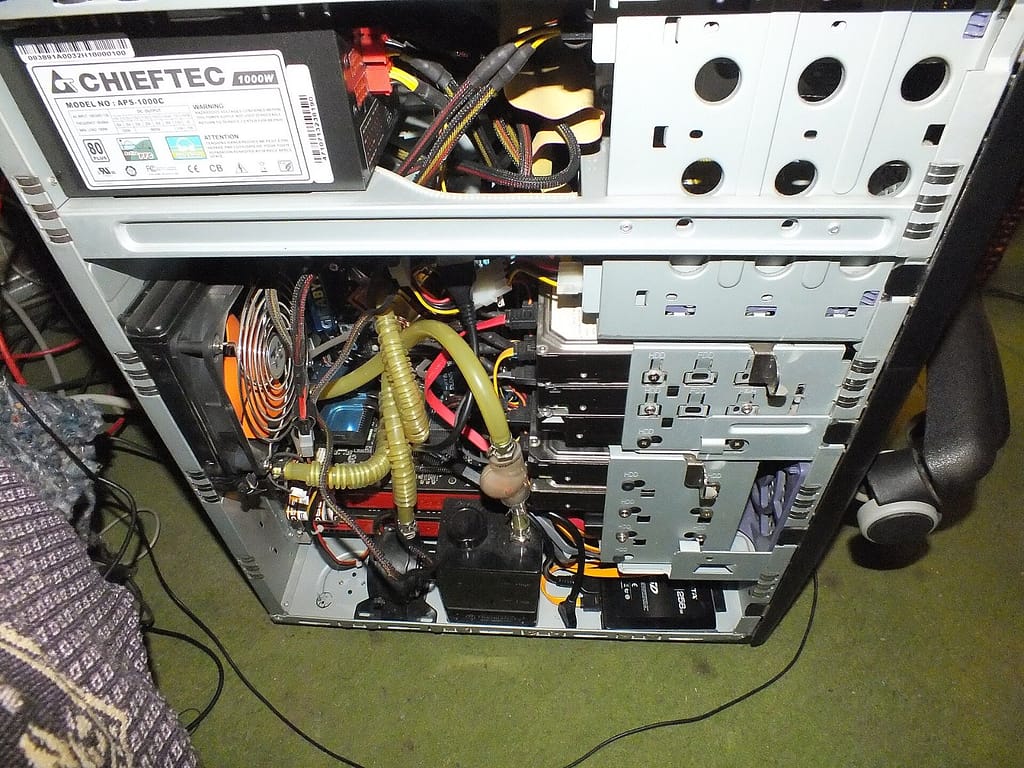
Online Shops
Of course, online shops are the classic choice for PC parts. But be careful, not every shop is the same! Always check the reviews beforehand so you don’t fall for bad apples. Big players like Mindfactory or Alternate often have a huge selection and good prices, but it’s also worth checking out smaller shops. Sometimes they have real hidden gems or better deals. And don’t forget to compare shipping costs, as they can add up!
Second-Hand Market
The second-hand market is a goldmine if you really want to save. On platforms like eBay Classifieds or in forums, you can often find great deals. But be careful! Test the parts before you buy them, or at least have them shown to you in detail. Ask why the seller is getting rid of the parts and if there were any issues. A used graphics card can be a real steal, but it can also be an expensive paperweight if it’s on its last legs.
Remember: When buying used parts, you usually don’t have a warranty anymore. So, look twice and if in doubt, steer clear.
Special Offers and Discounts
Those who seek will find! Keep an eye out for special offers and discounts. Many shops have regular sales, especially around holidays like Black Friday or Christmas. Subscribe to newsletters from your favorite shops so you don’t miss any hardware deals. And regularly check price comparison sites to see where the best deals are. Sometimes there are also discount codes you can use to save even more. Patience pays off!
Building a Gaming PC: Step by Step
Okay, so you want to build your own gaming PC? Don’t panic, it’s easier than you think! It’s like a big Lego set for adults. Let’s go through it step by step so you end up with a machine that meets your wishes.
Preparation and Planning
Before you even pick up a screwdriver, planning is key. Think carefully about what you want to do with the PC. What games do you want to play? What resolution and frame rate are you aiming for? This helps you choose the right components and use your budget wisely. Here are a few points to consider:
- Set a budget: How much money are you willing to spend? This is the most important factor that determines your options.
- Check compatibility: Make sure all components fit together. The motherboard must match the processor, the RAM must be supported by the motherboard, and the power supply must provide enough power for all components.
- Prepare tools: You’ll need a Phillips screwdriver, cable ties, possibly a tweezers, and an anti-static mat or wrist strap. Also, think about good lighting!
Good preparation is half the battle. Take your time to inform yourself and gather all necessary information. This way, you can avoid costly mistakes and frustration during assembly.
Assembling the Components
Now it’s getting serious! Here comes the fun part: the actual assembly. Don’t worry, it’s not as complicated as it looks. Just follow this rough order:
- Prepare the motherboard: Install the CPU, RAM, and possibly M.2 SSD before placing the board in the case.
- Install the motherboard in the case: Make sure to use the standoffs to prevent a short circuit.
- Install the graphics card: Insert it into the top PCIe slot.
- Connect storage drives/SSDs: Connect SATA cables and power cables.
- Connect the power supply: Power all components. Pay attention to the correct wiring!
- Cable management: Arrange the cables neatly so that air can circulate well. Cable ties are your friend here.
- Attach the cooler: Don’t forget the CPU cooler! Don’t forget thermal paste!
There are countless videos on YouTube that show you each step in detail. It’s best to watch a few before you start. And remember: It’s better to check once too often than to break something!
Installing the Operating System
Your PC is assembled, but it’s not ready to use yet. Now you need to install the operating system. For this, you need a bootable USB stick with Windows (or Linux if you’re feeling adventurous). Here’s how:
- Access BIOS/UEFI: Press the appropriate key when starting the PC (usually Del, F2, or F12). It’s also stated in your motherboard’s manual.
- Change boot order: Select the USB stick as the first boot device.
- Install Windows: Follow the on-screen instructions. Make sure to select the correct partition.
- Install drivers: After installing Windows, you need to install the drivers for all components. The easiest way is to use the included CD or download them from the manufacturer’s website.
And you’re done! Your self-built gaming PC is ready to go. Have fun gaming! Remember, with a good PC building guide, you can’t go wrong. And if you ever get stuck, just ask a friend or look online for help. There’s a huge community that’s happy to assist you.
The Future of Gaming PCs
Sure, your gaming PC is top-notch now, but what’s next? Technology never stands still, and what’s awesome today can be old news tomorrow. That’s why it’s important to think about the future now if you don’t want to build a completely new system every few years.
Consider Upgradeability
When buying, make sure your PC is upgradeable. This means you can later install a new graphics card, more RAM, or even a new processor without having to replace the entire motherboard. Platforms like AM5 from AMD are a good choice because they also support future CPUs. Also, think about having enough free slots for RAM and SSDs. This way, you’re flexible and can keep your PC up to date. It’s also important to choose a suitable motherboard for your CPU.
Technological Trends
There are a few trends you should keep an eye on. Ray tracing is becoming increasingly important for realistic graphics, so look for a graphics card that supports it well. Also, AI-driven features will play a larger role in the future, such as for upscaling or frame generation. And of course, the performance of hardware is always improving. The new RTX 50 and RX 9070 graphics cards promise a lot.
It’s advisable to stay informed about the latest developments in gaming technology to make informed decisions about future upgrades. This applies to both hardware and software.
Long-Term Investments
What does this mean for you specifically? Here are a few points to consider for your next upgrade:
- Power Supply: Invest in a high-quality power supply with enough power so you have reserves later. Better to have a little more wattage than too little.
- Cooling: Good cooling is important to prevent your components from overheating and throttling their performance. This is crucial for high-performance graphics cards and CPUs.
- Case: Look for a case with good ventilation and enough space for future expansions. A good case often lasts longer than the other components.
With these tips, you’re well-equipped to keep your gaming PC fit for the future. This way, you’ll enjoy your system longer and won’t have to buy everything new all the time. And remember: Gaming should be fun, so don’t stress too much!
Conclusion
At the end of the day, a gaming PC under 1000 € is really a cool thing if you want to game without spending all your money. Whether you want to build it yourself or prefer a complete PC, with the right parts like the AMD Ryzen 5 7500F and an RX 7700 XT, you’re well set up. Remember to invest in future-proof parts, keep an eye on cooling, and choose a decent power supply. This way, you’ll have fun with your new machine for a long time. So, enjoy gaming and assembling your dream PC!
Frequently Asked Questions (FAQs)
Can I play in 4K with a gaming PC under 1000 €?
For 4K gaming, you need very powerful graphics cards that exceed the budget. However, with a PC under 1000 €, you can play in WQHD (1440p) with high settings.
Is DDR5 necessary for a gaming PC under 1000 €?
DDR5 offers better performance and is required on new platforms. For budget PCs with older platforms like AM4, DDR4 is sufficient, but DDR5 is future-proof.
Where should I buy my gaming PC?
Good shops include Dubaro, MIFCOM, or Alternate. For individual parts, Mindfactory or Amazon are recommended. Pay attention to reviews and warranty.
Is a used gaming PC worth it?
Used PCs can be cheaper, but there are risks like lack of warranty or worn parts. If you know what you’re doing, the second-hand market can be an option.
How much RAM do I need for gaming?
16 GB of RAM is sufficient for most games. 32 GB is sensible if you’re streaming or editing videos.
How can I avoid bad purchases when building a PC?
Make sure all parts fit together and have the right specifications. Research before buying and ask experienced friends for advice.
Cover image – Photo: Maxime Rossignol maxoor, CC0, via Wikimedia Commons


