

In 2025, choosing the right PC hardware for gaming enthusiasts will be more important than ever. Technical requirements are constantly increasing, so it’s crucial to know the best components. Whether it’s graphics cards, processors, or storage solutions – each component plays a crucial role in the overall performance of a gaming PC.
Key Insights
- NVIDIA and AMD are in a head-to-head race for graphics cards.
- Ray tracing and 4K gaming remain major trends.
- Processor choice: Intel and AMD offer strong options.
- DDR5 RAM is becoming the standard.
- SSD storage ensures faster load times.
Graphics Cards: The Heart of Your Gaming PC
NVIDIA vs. AMD: Who’s Ahead?
When it comes to graphics cards, two giants face off: NVIDIA and AMD. Both have their strengths. NVIDIA offers impressive performance and energy efficiency in the high-end segment with models like the RTX 4080, ideal for UHD gaming. AMD, on the other hand, often scores with a better price-performance ratio. For most gamers, the choice between the two is a matter of budget and personal preference.
Ray Tracing and 4K Gaming: What You Should Know
Ray tracing and 4K are the buzzwords when it comes to modern graphics cards. While ray tracing provides more realistic lighting effects, 4K gaming takes graphics quality to a new level. It’s important that your graphics card supports these technologies if you want to enjoy the latest games in all their glory. NVIDIA has an edge here with its RTX cards, but AMD is catching up.
Budget Options for Cost-Conscious Gamers
Not everyone has the budget for the latest high-end models. But don’t worry, there are good options for smaller budgets too. The NVIDIA GeForce RTX 3060 or the AMD Radeon RX 6600 offer solid performance for most games and are affordable. For casual gamers and eSports titles, these models are more than sufficient.
Processors: The Engines of Your System
Your gaming PC stands and falls with the right processor. It’s essentially the engine of your system and ensures everything runs smoothly. But which CPU is the right choice for you? Let’s take a closer look.
Intel or AMD: Which CPU Is Right?
Are you choosing between Intel and AMD? Not an easy decision! Both manufacturers offer strong processors, but they have their quirks. Intel often scores with high performance per core, which is particularly noticeable in games. AMD, on the other hand, often offers more cores for less money, which is advantageous for applications like video editing or streaming. The Ryzen 5 5600 is known for its good price-performance ratio and might be just what you’re looking for.
Overclocking: Squeezing More Performance from Your Processor
Overclocking can take your CPU to a whole new level. But be careful, it’s not for the faint-hearted! You can increase your processor’s clock rate to squeeze out more performance. However, this only works with good cooling and a motherboard that supports it. An Intel Core i5-14600K or an AMD Ryzen 7 7700X are ideal candidates if you want to give it a try.
Cooling: Keeping Your Processor Cool
Good cooling is essential if you want to get the most out of your processor. There are different approaches: air cooling is often cheaper and quieter, while water cooling is more efficient at high temperatures. Make sure your cooler matches your CPU’s performance. A well-cooled processor lasts longer and delivers consistent performance.
Remember that choosing the right CPU not only improves your gaming experience but also extends the lifespan of your entire system. Choose wisely and plan a little for the future!
RAM: More RAM for More Power
DDR4 vs. DDR5: What’s the Difference?
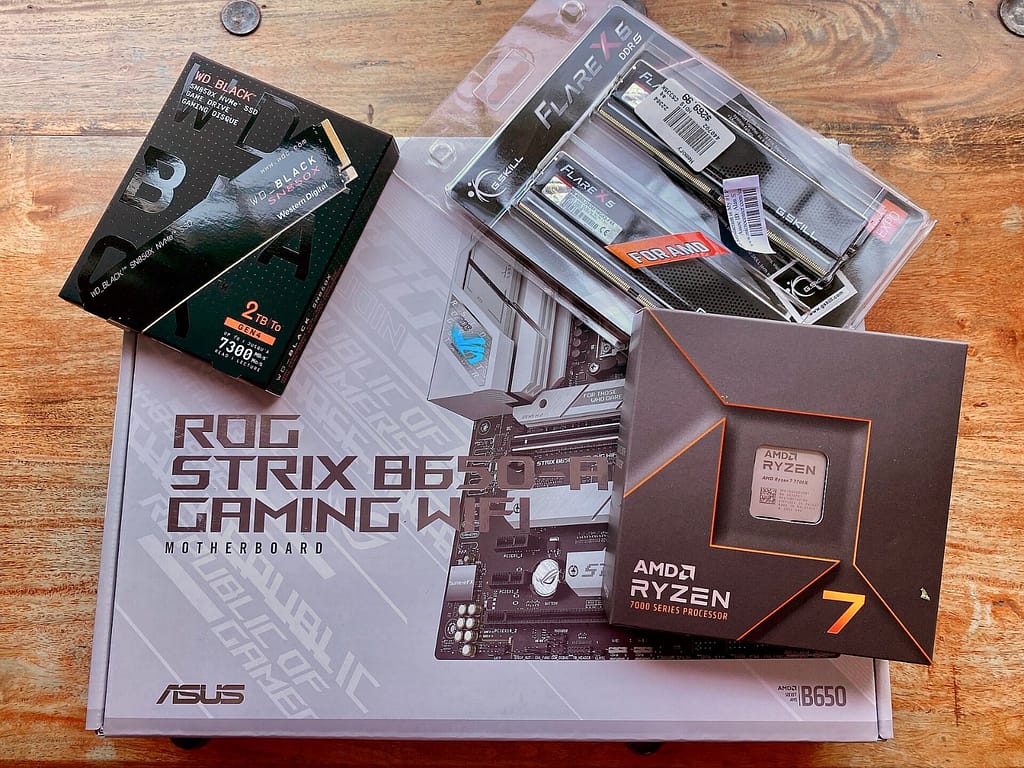
RAM is a crucial factor for your gaming PC’s performance. In 2025, DDR5 is the new standard, offering several advantages over DDR4. DDR5 offers higher clock rates and faster data transfer rates, leading to better performance. While DDR4 is still found in older systems, the latest platforms like Intel’s Z790 and AMD’s X670 rely on DDR5. The difference in speed can be noticeable in the right scenarios, especially in graphics-intensive games or applications.
How Much RAM Does a Gaming PC Really Need?
The question of the right amount of RAM is often debated. For most gamers, 32 GB of RAM is now the sweet spot. This will prepare you well for most current games and applications. However, if you stream or edit videos, 64 GB might be sensible. Simple applications and office programs often still get by with 8 GB, but for future-proof gaming, you shouldn’t go below 32 GB.
Tips for Optimizing Your RAM
- Use dual-channel: Make sure your RAM modules run in dual-channel mode. This can double the bandwidth and significantly boost performance.
- Adjust clock rates: Depending on your motherboard and CPU, you can overclock the RAM to get more performance. However, you should be cautious and keep an eye on stability.
- Regular updates: Keep your BIOS and drivers up to date. There are often updates that improve your system’s compatibility and performance.
Remember that more RAM doesn’t always mean better performance. It’s important to find the right balance between capacity, speed, and stability.
Storage Solutions: SSDs and HDDs Compared
SSD vs. HDD: Speed vs. Capacity
When upgrading your gaming PC, you might wonder whether an SSD or HDD is the better choice. SSDs are known for their speed. They speed up your system’s boot time and game load times. HDDs, on the other hand, offer more storage space for less money.
Here’s a small table to help you see the differences at a glance:
| Feature | SSD | HDD |
|---|---|---|
| Speed | Very fast | Slow |
| Capacity | Expensive for large sizes | Cheap for large sizes |
| Durability | Fewer moving parts | Mechanical parts |
NVMe SSDs: The Turbo for Your PC
For those who want maximum speed, NVMe SSDs are the first choice. These small powerhouses plug directly into the motherboard and offer even faster read and write speeds than conventional SATA SSDs. If you really want to feel the difference, the Samsung 990 Pro is one of the best options on the market.
Backup Strategies: Keeping Your Data Safe
Even though SSDs and HDDs are reliable, backing up your data is always a good idea. Here are a few tips on how to secure your data:
- Use external hard drives – They are easy to handle and offer plenty of storage space.
- Use cloud storage – This way, you have access to your data from anywhere.
- Schedule regular backups – Automate the process so you don’t forget.
A backup is like insurance: you hope you never need it, but if you do, you’ll be glad you have it.
Motherboards: The Foundation of Your Gaming PC
Chipsets: What You Should Know
Your motherboard is like the backbone of your gaming PC. It determines which processors, graphics cards, and RAM modules you can use. For AMD CPUs, the B550 and B650 chipsets are a good choice as they offer modern USB 3.2 and PCIe 4.0. Intel fans should look for Z790 chipsets to unlock the full potential of their K CPUs. Remember that cheap motherboards often don’t have the best voltage regulators, making overclocking difficult.
Form Factors: ATX, Micro-ATX, and Mini-ITX
The size of the motherboard affects how many expansion cards and RAM modules you can install. ATX is the standard, offering many slots and is ideal for large cases. Micro-ATX is slightly smaller but still versatile. Mini-ITX is super compact and perfect for small builds but often has fewer slots. Consider how much space you have and what you want to install.
Expansion Options: What’s Important?
A good motherboard should have enough PCIe slots for graphics cards and other expansion cards. Look for M.2 slots for fast NVMe SSDs. The ASUS ROG Strix B760-F Gaming WiFi Motherboard is an example of many ports and integrated WiFi. Also, think about USB ports, both Type-A and Type-C, to be future-proof.
A well-thought-out motherboard setup can extend your PC’s lifespan and improve the gaming experience. Choose wisely to avoid frustration later!
With these tips, you’re well-equipped to choose the perfect motherboard for your gaming PC. Whether you’re focused on performance or budget, there’s always a suitable option.
Cooling and Cases: Keeping a Cool Head
Air Cooling vs. Water Cooling: Pros and Cons
The choice between air and water cooling can be a tricky decision. Air coolers are often cheaper and easier to install. They consist of a heatsink with fans that dissipate heat. An example of a popular air cooler is the be quiet! Dark Rock Pro 5. These coolers are quiet and offer solid performance for the price.
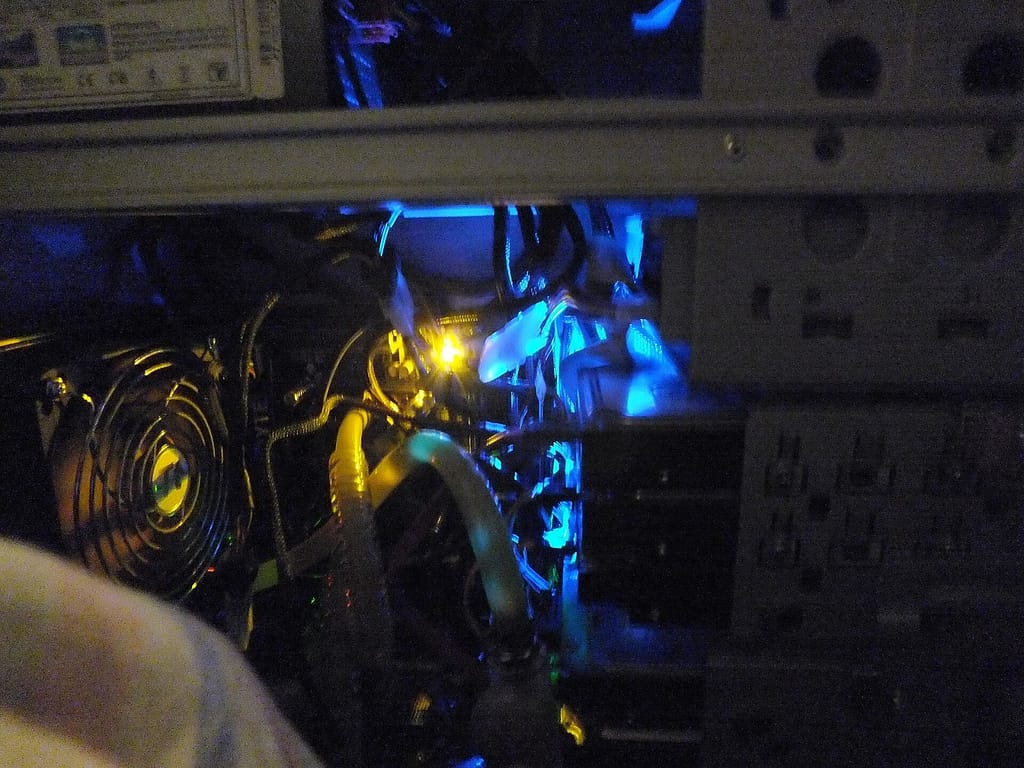
On the other hand, we have water cooling, which impresses with its higher efficiency. It uses a pump that circulates water through tubes to a radiator, where the heat is dissipated by fans. These systems are ideal for overclockers who want to get the most out of their processors. All-in-one solutions from Corsair are particularly popular.
Case Selection: Design Meets Functionality
The case is the visible centerpiece of your gaming PC. It should not only look good but also be functional. A good case offers enough space for all components and ensures good airflow. The Be Quiet Pure Base 600 is an excellent example of a case that combines excellent cooling and low noise.
Here are a few tips for choosing a case:
- Size: Consider whether you prefer a large ATX case or a more compact Micro-ATX model.
- Cooling: Make sure there’s enough space for additional fans or a radiator.
- Design: Decide whether you want a simple or a flashy RGB design.
RGB Lighting: More Than Just Optics
RGB lighting is more than just a visual gimmick. It can give your setup a unique look and even serve as a visual indicator for system temperatures. Many modern cases offer integrated RGB elements that are easy to customize. Whether you prefer a subtle glow or a colorful light show, RGB offers many possibilities for personalization.
A well-thought-out cooling system and a carefully selected case are crucial to getting the full performance out of your gaming PC without overheating the components. Choose wisely, and your system will reward you with stability and longevity.
Power Supplies: The Power Source of Your PC
A gaming PC is only as good as its power supply. Without a reliable power supply, the screen remains black, no matter how powerful your graphics card or CPU is. A good power supply is the heart of your system.
Wattage: How Much Power Do You Need?
When it comes to wattage, the golden rule is: a little more is better. A power supply should not constantly run at its limit. For most gaming PCs, between 500 and 750 watts is standard, but high-end systems with powerful components, like the Power Zone 2 power supplies from Be Quiet!, often require 850 to 1000 watts. Consider what you might want to upgrade in the future.
Efficiency Classes: What Does 80 Plus Mean?
The efficiency of a power supply is often indicated by 80 Plus ratings. These ratings range from Bronze to Titanium and show how efficiently the power supply converts electricity into power. A higher rating means less energy loss as heat and thus lower electricity costs. For many, Gold is the best compromise between price and performance.
Modular vs. Non-Modular: What’s Better?
Modular power supplies offer flexibility. You can only connect the cables you really need. This keeps things tidy inside the case and improves airflow. Non-modular power supplies are usually cheaper, but all cables are permanently installed, which can lead to cable clutter. If you want a tidy interior, go for a modular power supply.
Peripherals: More Than Just Accessories
Gaming Monitors: Resolution and Refresh Rate
When it comes to gaming monitors, two things are particularly important: resolution and refresh rate. A high refresh rate ensures that your games run smoothly, which is crucial for fast-paced shooters. Common resolutions range from Full HD to 4K. If you’re on a budget, a Full HD monitor with a refresh rate of 144 Hz is a solid choice. For those who can spend more, a 4K monitor with 120 Hz or more offers an impressive visual experience.
Keyboards and Mice: Mechanical or Membrane?
When choosing between mechanical and membrane keyboards, it depends on your play style and preferences. Mechanical keyboards offer precise and tactile feedback that many gamers prefer. They are often more durable but also more expensive. Membrane keyboards are quieter and generally cheaper. With mice, it’s similar: a good gaming mouse should have adjustable DPI settings and programmable buttons to give you an edge in the game.
- Mechanical Keyboards
- Membrane Keyboards
- DPI Settings on Mice
Headsets and Speakers: For the Best Sound
A good headset can make all the difference when it comes to immersing yourself in a game. The CHERRY XTRFY H3 Wireless Headset offers wireless freedom and high-quality sound, ideal for long gaming sessions. If you prefer speakers, make sure they deliver clear and powerful sound. Surround sound systems can further enhance the experience.
Choosing the right peripherals can really enhance your gaming everyday life. It’s worth investing in quality to get the most out of your games.
Conclusion
At the end of the day, it comes down to what you really expect from your gaming PC. Whether you want to enjoy the latest games in 4K or just play smoothly, the selection of hardware components is huge. The important thing is to choose the parts so that they work well together and fit your budget. And hey, if you’re not sure which components are best for you, check out some reviews or ask in forums. Either way, with the right hardware, your gaming experience in 2025 will definitely be a blast!
Frequently Asked Questions
Which graphics card is the best for gaming in 2025?
For 2025, the NVIDIA GeForce RTX 4090 and the AMD Radeon RX 7900 XTX are the top models. They offer excellent performance for 4K gaming and ray tracing.
Should I invest more in the CPU or the GPU?
It depends on your play style. For graphics-intensive games, a strong GPU is more important. For games that require a lot of calculations, a good CPU is crucial.
How much RAM does a gaming PC really need?
For most games, 16 GB of RAM is sufficient. However, if you use many applications simultaneously or stream, you should consider 32 GB.
Is an SSD really necessary for a gaming PC?
Yes, an SSD ensures faster load times in games and an overall smoother experience. A combination of SSD for games and HDD for data is ideal.
What’s better: air or water cooling?
Air cooling is cheaper and easier to install, while water cooling is more efficient and suitable for overclocking. The choice depends on the budget and requirements.
Are pre-built gaming PCs a good choice?
Pre-built PCs are ideal for beginners or those who don’t want to spend time assembling. They often offer a good balance of price and performance.
Cover image – Photo: Blake Patterson, CC BY 2.0, via Wikimedia Commons


