

The AMD Ryzen 7 5800X is one of the best CPUs on the market, especially for gamers. With its strong performance and impressive specifications, it provides an excellent foundation for a powerful gaming experience. In this article, we will look at the various aspects of the Ryzen 7 5800X to understand how it compares to other processors and whether it is the right choice for your gaming needs.
Key Insights
- The Ryzen 7 5800X offers strong performance with 8 cores and 16 threads, ideal for gaming and multitasking.
- Energy efficiency is remarkable, with a TDP of only 105 watts, allowing for good cooling.
- With a boost clock of up to 4.7 GHz, the CPU delivers excellent performance even in demanding applications.
- Thanks to support for PCIe 4.0, users benefit from fast data transfers for modern graphics cards.
- Compared to the Ryzen 9 5900X, the 5800X offers a better price-performance ratio for gamers who do not have extreme requirements.
Performance Features of the AMD Ryzen 7
Okay, let’s take a look at the inner workings of the AMD Ryzen 7 5800X. What makes this CPU so special? Here are the key points you should know:
Base Clock and Boost Clock
The Ryzen 7 5800X comes with a base clock of 3.8 GHz. This is the standard speed at which the CPU operates. But that’s not all! Thanks to the boost clock, the CPU can ramp up to 4.7 GHz when needed. This means more power when you need it, for example, during gaming or video editing. Keep in mind that the boost clock depends on various factors, such as cooling and current load.
Cores and Threads
The Ryzen 7 5800X has 8 cores and 16 threads. What does that mean? Think of the cores as individual processors that can handle tasks simultaneously. Threads are like virtual cores that further enhance efficiency. More cores and threads mean that the CPU can handle multiple tasks simultaneously better. This is especially useful for multitasking and demanding applications.
Energy Efficiency
Although the Ryzen 7 5800X offers a lot of power, it is also relatively energy efficient. It has a TDP (Thermal Design Power) of 105 watts. This means it does not consume excessive power and does not overheat quickly. This is important for keeping your system stable and not having to worry about your PC crashing. Energy efficiency is a crucial factor, especially if you use your PC often and for long periods.
The TDP is a guideline for the heat output of the CPU. It is important that your cooler can dissipate this heat so that the CPU does not overheat and throttle its performance.
To summarize:
- High clock rates for fast performance
- Many cores and threads for multitasking
- Good energy efficiency for stable operation
Gaming Performance in Focus
Frame Rates in Popular Games
Okay, let’s talk about gaming! You want to know how the Ryzen 7 5800X performs in your favorite games, right? Generally speaking, it performs really well. For Full HD gaming, it is more than sufficient, and even at 1440p, you can still get a lot out of it. Sure, for 4K gaming, you might have to make some compromises on settings, but hey, it still looks great!
- Cyberpunk 2077: Runs smoothly, even when you enable ray tracing.
- Call of Duty: Warzone: Here you easily get high frame rates, ideal for competitive gaming.
- Assassin’s Creed Valhalla: The open world looks fantastic, and the game runs buttery smooth.
Benchmark Results
Benchmarks are always a thing, but they give you a good overview of where the Ryzen 7 5800X stands compared to other CPUs. Here are some results to give you an idea:
| Benchmark | Ryzen 7 5800X Score |
|---|---|
| Cinebench R23 (Single) | ~1600 |
| Cinebench R23 (Multi) | ~15000 |
| 3DMark Time Spy | ~10000 |
These numbers are, of course, only guidelines. Actual performance may vary depending on system configuration and game. But overall, you can rely on the fact that the Ryzen 7 5800X has plenty of power.
Comparison with Competitors
Compared to the competition, namely Intel, the Ryzen 7 5800X performs really well. It is often cheaper than comparable Intel processors while still offering great gaming performance. AMD has made significant strides with its 7000 series Ryzen processors and released several CPUs that outperform Intel, especially in the gaming sector. In particular, AMD processors with the “3D” suffix lead the rankings for gaming CPUs. So if you’re looking for a good processor for gaming without breaking the bank, the Ryzen 7 5800X is definitely worth considering.
- Price-performance ratio is top-notch.
- Can compete with more expensive Intel processors.
- Ideal for budget-conscious gamers.
Price-Performance Ratio of the Ryzen 7
Costs in Comparison
Okay, let’s talk about money. The Ryzen 7 5800X is really interesting because it delivers performance without you having to spend your entire savings. Sure, there are always more expensive options, but for what you get here, the price is really fair. You get fast data transfers without having to raid your bank account.
Value for Gamers
For us gamers, the price-performance ratio is super important. You don’t want to spend all your money on the CPU and then have to skimp on the rest. The Ryzen 7 is a good compromise. It delivers without you having to live on ramen noodles. You can game, stream, and do everything your heart desires without completely blowing your budget. Gaming performance doesn’t have to be unaffordable!
Recommendations for Different Users
Okay, here are some tips depending on who you are:
- Gamers: If you mainly game, the Ryzen 7 5800X is a great choice. It’s not the most expensive, but it has enough power to play current games smoothly.
- Content Creators: If you edit videos or stream, the Ryzen 9 5900X might be better because it has more cores. But the Ryzen 7 is also a good starting point.
- Casual Users: If you just surf the internet a bit and occasionally write a document, a cheaper processor might suffice. But the Ryzen 7 is definitely nice to have.
Remember: It always depends on what you really need. Think carefully about what you primarily use your PC for, and then decide which processor is best for you.
Overclocking Potential of the Ryzen 7
Sure, the Ryzen 7 5800X is already a powerhouse out of the box, but what if you want to squeeze even more performance out of it? That’s where overclocking comes into play. But be careful, not everything that glitters is gold.
How Overclocking Works
Overclocking basically means telling your processor to work faster than the manufacturer intended. You do this by increasing the clock frequency. Imagine turning up the volume knob – only this time for your processor. This can lead to more performance, but also to instability if you overdo it.
- You increase the clock frequency in the BIOS or with special software.
- You need to adjust the voltage to ensure stability.
- Test stability with benchmarking tools.
Cooling and Stability
If you overclock your Ryzen 7 5800X, it will get hotter. Much hotter. Therefore, good cooling is absolutely necessary. Otherwise, you risk your system crashing or damaging the processor.
Remember: Overclocking is like dancing on a volcano. You can gain a lot, but you can also lose everything if you’re not careful. Keep an eye on the temperatures and don’t overdo it right away.
Performance Gains from Overclocking
So what does this mean for you? Well, you can achieve higher frame rates in games or complete compute-intensive tasks faster. But don’t expect miracles. The performance increase is often rather moderate. Many in the community recommend using Precision Boost Overdrive (PBO) to optimize CPU performance.
| Game | Standard Clock | Overclocked | Increase |
|---|---|---|---|
| Cyberpunk 2077 | 60 FPS | 65 FPS | 8% |
| Assassin’s Creed Valhalla | 70 FPS | 75 FPS | 7% |
| Shadow of the Tomb Raider | 120 FPS | 130 FPS | 8% |
But keep in mind that overclocking also carries risks. Your warranty could be voided, and if you’re unlucky, you could damage your processor. So, be careful and do your research before you start!
Technological Advances with PCIe 4.0
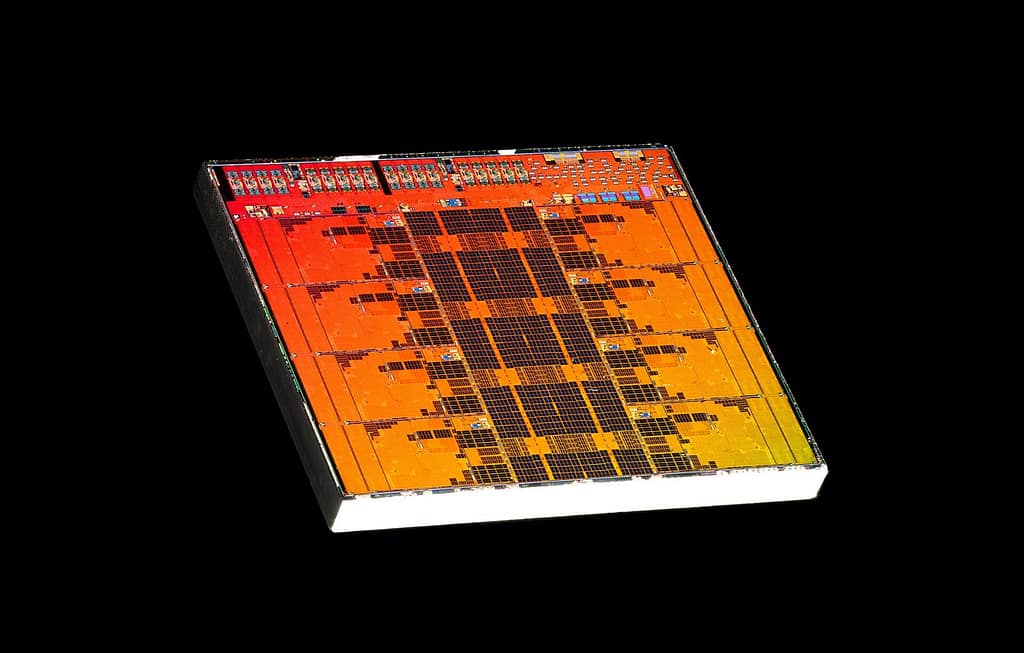
PCIe 4.0 is truly a game changer when it comes to fast data transfer. Imagine loading huge game files or editing 4K videos – with PCIe 4.0, all of this happens much faster. But what does this mean for you and your Ryzen 7?
Fast Data Transfers
PCIe 4.0 essentially doubles the bandwidth compared to PCIe 3.0. This means your graphics card and SSD can transfer much more data in the same amount of time. This is particularly noticeable with modern graphics cards and NVMe SSDs. You will experience shorter load times and smoother performance. Think about Ryzen 7 5800X CPU and how it benefits from fast data transfers!
Compatibility with Latest Hardware
PCIe 4.0 is now standard on many new motherboards and graphics cards. So if you’re investing in new hardware, it’s good to know that your Ryzen 7 5800X supports it. This means you can use the latest graphics cards and SSDs without performance loss. Here are a few points to keep in mind:
- Make sure your motherboard supports PCIe 4.0.
- When buying a new graphics card, look for PCIe 4.0.
- NVMe SSDs with PCIe 4.0 are significantly faster than older models.
Future-Proofing
With PCIe 4.0, you are well-prepared for the future. Even though PCIe 5.0 is already on the market, PCIe 4.0 will remain relevant for a while. It offers enough bandwidth for most applications and games. Plus, it’s good to know that you won’t have to upgrade immediately when new technologies come out.
PCIe 4.0 is an important step forward in PC technology. It offers faster data transfers, compatibility with new hardware, and a degree of future-proofing. If you want to get the most out of your Ryzen 7 5800X, you should rely on PCIe 4.0.
Comparison with Ryzen 9 5900X
Performance Differences
Okay, let’s look at the differences between the Ryzen 7 5800X and the Ryzen 9 5900X. The Ryzen 9 5900X has more cores and threads – this means it is better at handling many tasks simultaneously. Imagine you are gaming and streaming at the same time; the 5900X would show better performance. However, the 5800X is no slouch, especially when it comes to pure gaming.
Target Audiences and Use Cases
Who are both CPUs best suited for? The Ryzen 7 5800X is great for gamers looking for a good price-performance ratio. It delivers top frame rates in most games and is more than sufficient for everyday tasks. The Ryzen 9 5900X, on the other hand, is more for power users and content creators who work a lot with video rendering, 3D modeling, or other compute-intensive applications.
Price-Performance Analysis
When it comes to price-performance ratio, it really depends on what you need. The Ryzen 7 5800X is cheaper and offers enough performance for most gamers. However, if you regularly edit videos or perform other demanding tasks, the extra cost for the Ryzen 9 5900X might be worth it. Here are a few points to consider:
- Gaming: Both CPUs are good, but the 5800X is often the more sensible choice.
- Content Creation: The 5900X has a clear advantage here.
- Budget: The 5800X is friendlier to your wallet.
In the end, you have to weigh which tasks are most important to you and how much you are willing to spend. Both CPUs are solid, but optimized for different use cases.
Cooling Solutions for the Ryzen 7
Sure, the Ryzen 7 5800X is a really powerful processor, but without the right cooling, nothing works. You don’t want your system to overheat and fail, do you? So, let’s take a look at what options you have.
Air Coolers vs. Liquid Coolers
Okay, first the basics: air or water? Air coolers are often cheaper and easier to install. They are great if you don’t plan to push your Ryzen 7 to the max. But if you intend to overclock or just want to ensure everything stays cool, then a liquid cooling solution might be the better choice. They are more expensive and a bit more complicated to install, but they often provide significantly better cooling performance. Keep in mind that it also depends on your case – there needs to be enough space!
Heat Management
Heat management is crucial. It’s not just about slapping a big cooler on. You also need to pay attention to airflow in the case. Make sure that warm air is effectively expelled and fresh air can flow in. This means: tidy up cables, position case fans correctly, and clean out dust regularly. Trust me, it makes a huge difference!
Optimal Cooling Solutions for Gaming
For gaming with the Ryzen 7 5800X, there are a few cool options. If you are not overclocking, a good air cooler is often sufficient. Brands like Noctua or be quiet! really know their stuff. But if you want to get the maximum out of it, check out AiO liquid coolers. They are compact, powerful, and look great too. Just make sure the cooler fits the socket and has enough cooling capacity for the AMD Ryzen 7.
Remember, the optimal cooling solution always depends on your budget, your requirements, and your case. Do your research and read reviews before making a decision. And don’t forget: good cooling is an investment in the longevity of your system!
Here’s a small table to help you with your decision:
| Cooler Type | Advantages | Disadvantages | Suitable for |
|---|---|---|---|
| Air Cooler | Cheap, easy to install | Less cooling performance than liquid cooling | Standard gaming, no overclocking |
| AiO Liquid Cooling | High cooling performance, compact | More expensive, a bit more complicated to install | Overclocking, high-end gaming |
| Custom Liquid Cooling | Maximum cooling performance, customizable | Very expensive, complex installation | Enthusiasts, extreme overclockers |
And here are a few tips:
- Check the TDP (Thermal Design Power) of your cooler.
- Pay attention to the noise level of the fans.
- Don’t forget the thermal paste!
- Regularly check the temperatures of your processor.
Conclusion on the AMD Ryzen 7 5800X
So, if you’re looking for a strong CPU for gaming, the AMD Ryzen 7 5800X is definitely worth considering. It offers excellent performance for most games and has enough power for everyday tasks. Sure, the Ryzen 9 5900X has more cores and is the better choice for those who work a lot with videos or 3D rendering. But for most gamers, the 5800X is simply perfect, especially when keeping the budget in mind. It delivers great performance without you having to spend a fortune. So, if you don’t need the absolute maximum but still want to game well, go for the 5800X. The price-performance ratio is just right!
Frequently Asked Questions
What are the main features of the AMD Ryzen 7 5800X?
The AMD Ryzen 7 5800X has 8 cores and 16 threads, a base clock of 3.8 GHz, and can reach up to 4.7 GHz. It offers good energy efficiency and is ideal for gaming and productive applications.
How does the Ryzen 7 5800X compare to other CPUs?
Compared to other processors like the Ryzen 9 5900X, the Ryzen 7 5800X offers strong performance, especially in games. However, it has fewer cores, making it less suitable for very compute-intensive applications.
What is the price-performance ratio of the Ryzen 7 5800X?
With a price of around $281, the Ryzen 7 5800X offers a good price-performance ratio, especially for gamers looking for strong performance without spending too much money.
How does overclocking work with the Ryzen 7 5800X?
Overclocking the Ryzen 7 5800X can be done by adjusting the clock rates in the BIOS. It can be stably overclocked with good cooling systems, which increases performance.
What are the benefits of PCIe 4.0 with the Ryzen 7 5800X?
PCIe 4.0 enables faster data transfers between the processor and other components, which is particularly beneficial for modern graphics cards and SSDs.
What cooling methods are suitable for the Ryzen 7 5800X?
The Ryzen 7 5800X can be well operated with air coolers or mid-range liquid coolers. Good cooling is important to ensure performance and stability at high clock rates.


